
Note: To make MFN elections, you must first have obligations created in Insight
- Follow the steps to upload fund documents, select MFN Election Form, and then add the parties you will be making MFN elections for
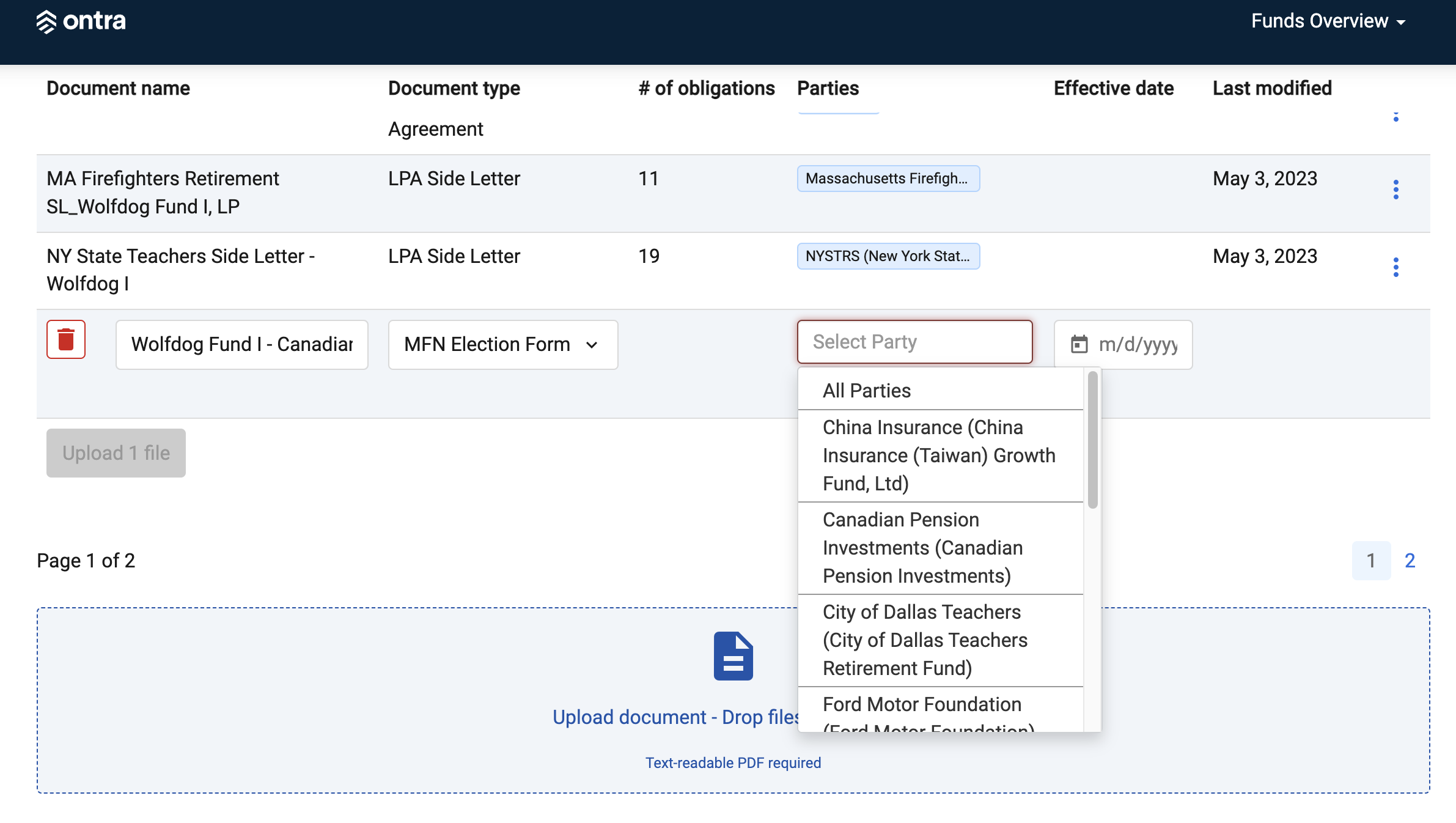
- Once the document is uploaded, click on the document name to begin making the elections
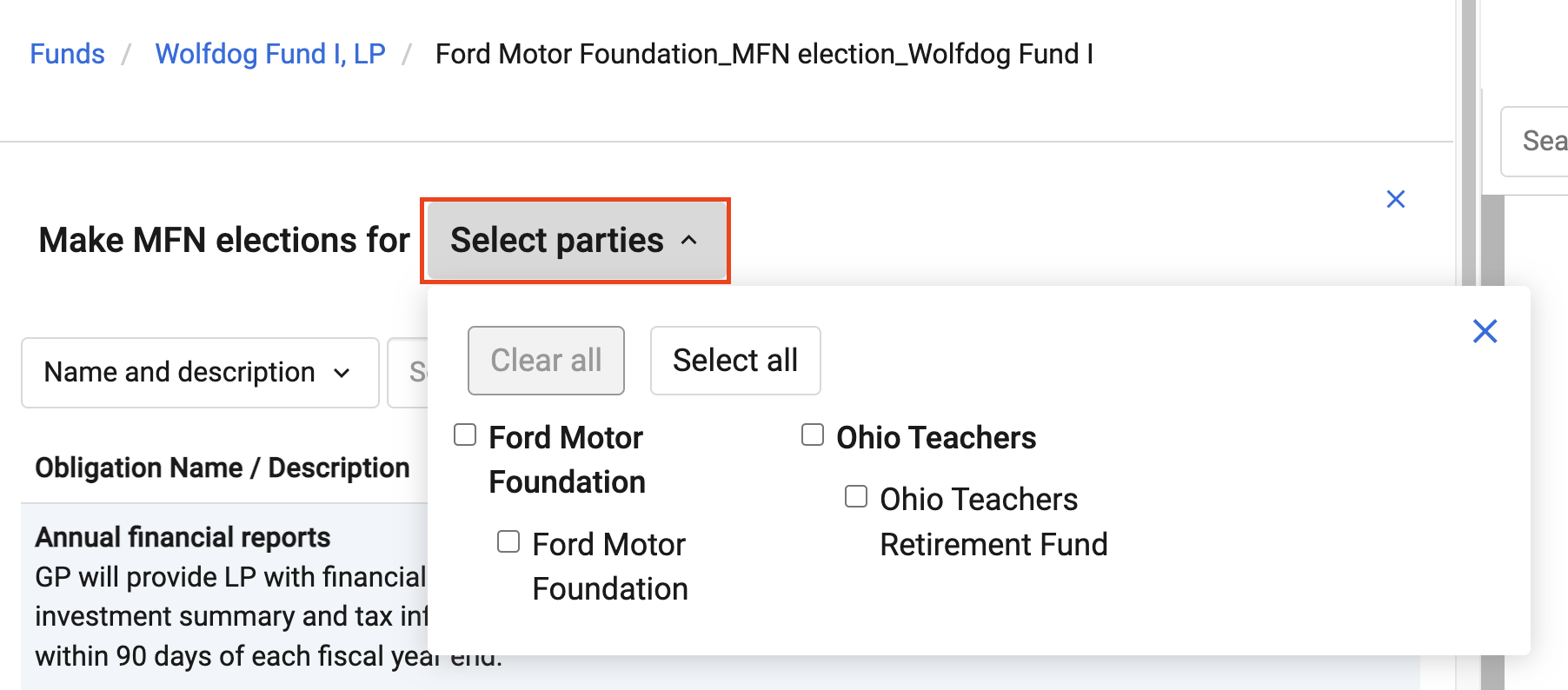
- Select the parties that you would like to make elections for by clicking the Select Parties drop-down
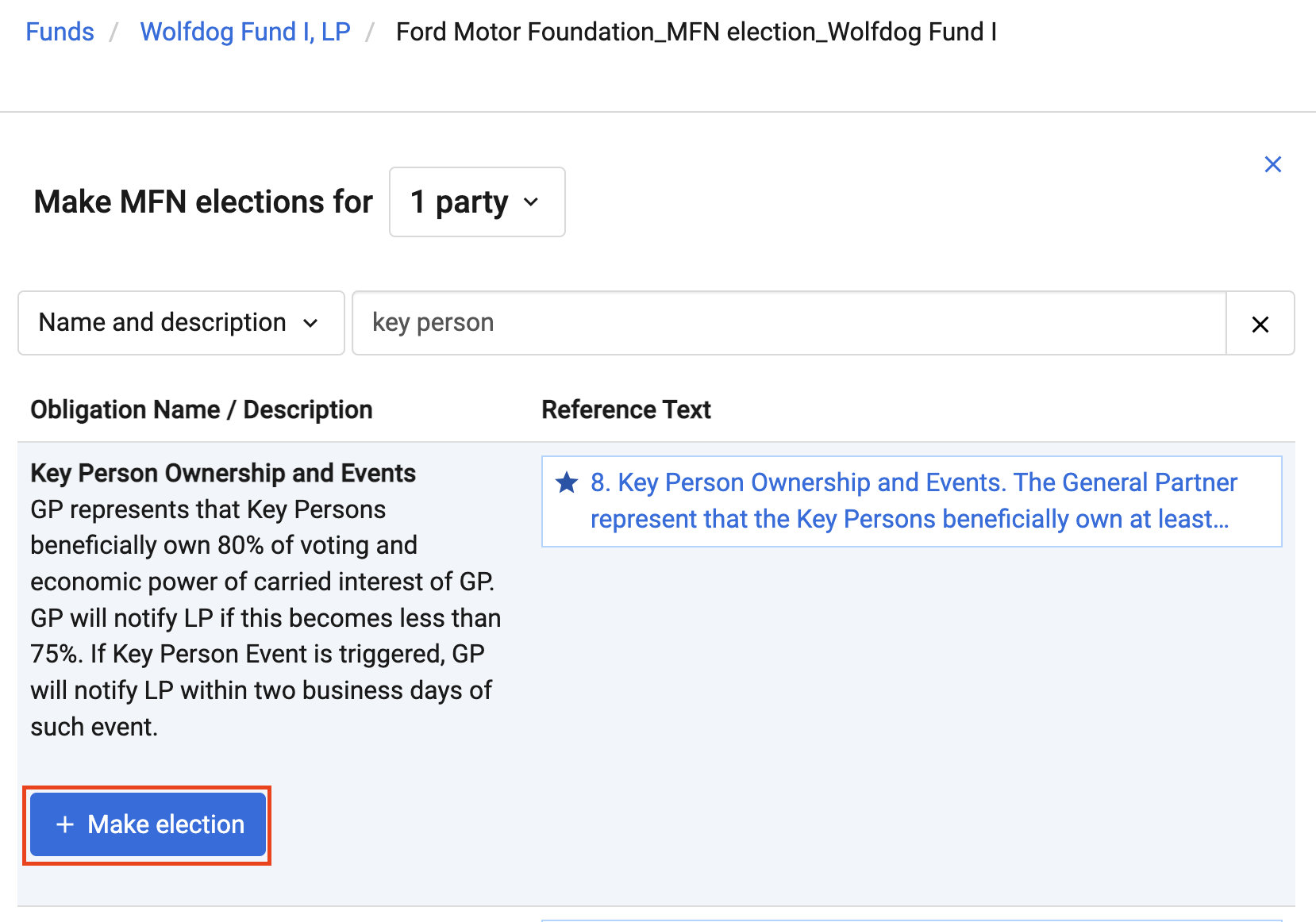
- Search for, and select, the obligation you would like to elect, and click + Make Election to make the election for all selected parties
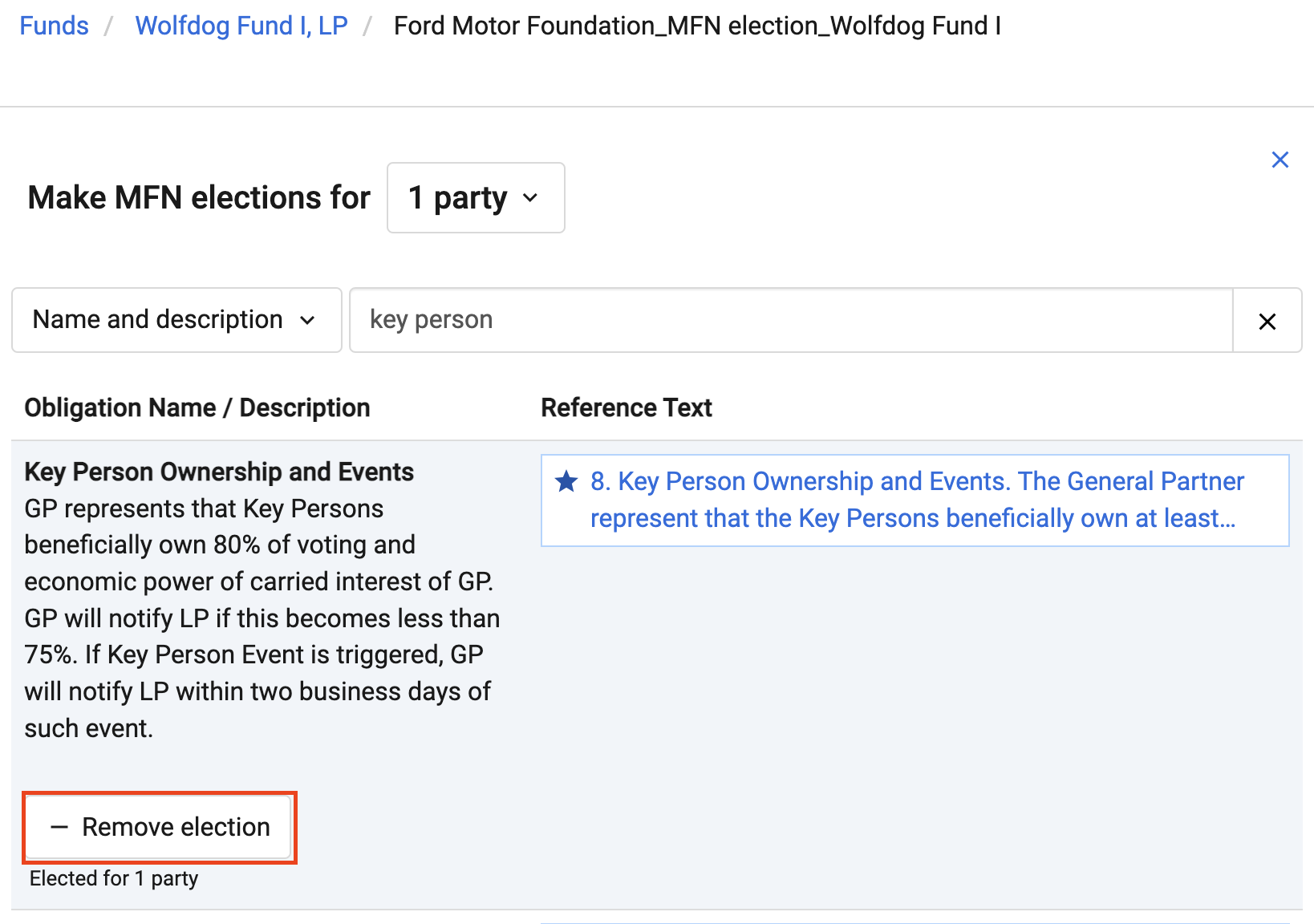
- To remove an election, search for the obligation and click - Remove Election for all selected parties
Comments
0 comments
Please sign in to leave a comment.